
In short
- Draw your signature once, drop it on the line, size it, download.
- A drawn signature is a picture, not a certificate-based digital signature.
- Sign your PDF for free in your browser
A lease, a school permission slip, a job offer, a delivery note. Someone sends you a PDF and asks you to sign it and send it back. Printing it, signing it, scanning it and emailing it again takes half an hour if you even have a printer.
You can sign the PDF itself instead. You draw your signature on the screen, put it where the line is, add the date and download a signed copy. This guide shows the steps and explains what kind of signature that is.
On EditFlip, step by step
- Step 1
Open the PDF and press Sign
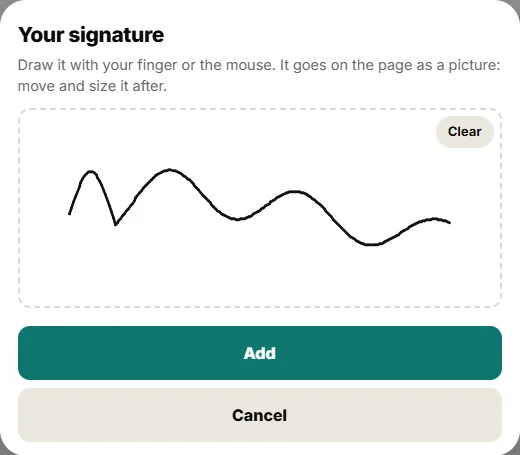
On the EditFlip home page, press Choose files, pick the PDF and press Edit. In the tools on the left press Sign. A box opens where you draw your signature with your finger or the mouse. Clear starts again, Add puts it on the page.
- Step 2
Put it on the line and size it
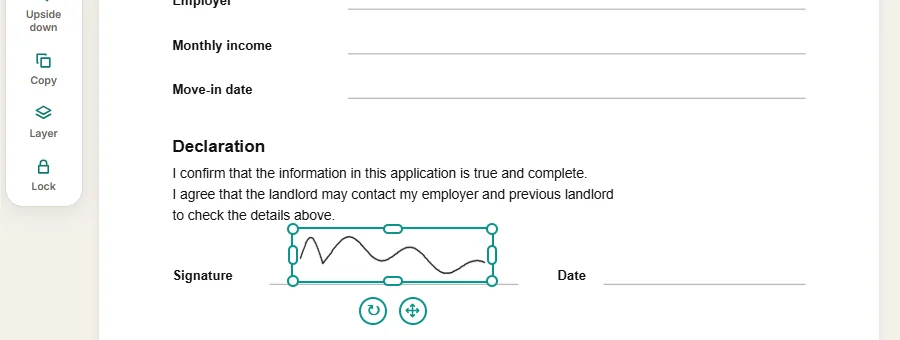
If EditFlip finds the form’s signature line, the signature goes there by itself. Otherwise drag it with the move handle and pull a corner to make it bigger or smaller. Colour turns it blue if you prefer.
- Step 3
Add the date and your name
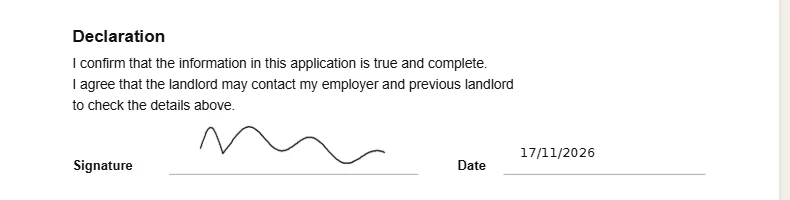
Go back to All tools, pick Add text, click next to Date and type it. Do the same for any name or initials the form asks for.
- Step 4
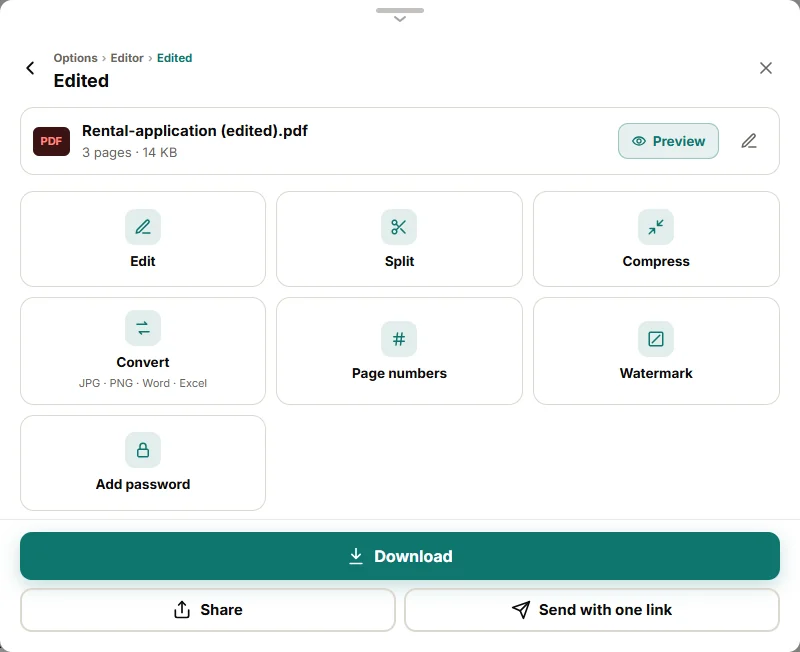
Press Done and download
Press Done and then Download. The signed copy has “(edited)” in its name, and your original stays unsigned.
What kind of signature this is
Drawing your signature on a PDF puts a picture of it on the page, just like signing on paper and scanning it, without the paper. For most everyday documents, like forms, consents and simple agreements, that is what is being asked for.
A certificate-based digital signature is something else. Microsoft describes it as an electronic, encrypted stamp of authentication that confirms the information came from the signer and has not been altered. If a document says it needs a qualified or certified electronic signature, a drawn one will not do, and the sender will usually tell you which service to use.
Making it look like your signature
On a phone, signing with a finger looks closest to pen on paper. With a mouse, sign a little slower and bigger than usual, then make it smaller on the page, which smooths out the shake.
The signature is drawn in dark ink on a clear background, so it sits on the line without a white box around it. If the form asks for blue ink, the Colour button changes it.
On a Mac or iPhone
Preview on a Mac can sign PDFs too. Apple says you can capture your signature with the trackpad, the Mac’s built-in camera holding a signature on white paper, or an iPhone or iPad, then drag it where you want it and use the handles to adjust the size.
On an iPhone, the Notes app can sign a scanned document. Apple’s steps are to open the document in a note, tap Markup, then add a signature.
Initials on every page
Some contracts ask for initials at the foot of each page. Draw your initials with Sign and place them in the corner of the first page, then scroll to the next page and do the same. Small initials are quick to draw, and Undo takes back one that came out wrong.
Check every page before you download, since a missed set of initials is the most common reason a signed contract comes back.
Sending it back
Send the signed copy, not the original. On a phone, Share sends it straight to email or a chat. On a computer, Download saves it and you attach it.
Keep a copy of the signed PDF for yourself. The editor never changes your original file, so you have both.
Draw your signature, put it on the line, add the date and download. Free, no account, and the document stays on your device.
Sign a PDF on EditFlip →Questions
Can I sign a PDF without printing it?
Yes. Open it on EditFlip, press Edit and then Sign, draw your signature and place it on the page.
Is a drawn signature legally valid?
For many everyday documents it is accepted, like a signed and scanned page. Documents that require a certified digital signature need a dedicated signing service.
Can I sign on my phone?
Yes. Open EditFlip in your phone’s browser and draw the signature with your finger.
Is my document uploaded?
No. EditFlip adds the signature inside your browser, so the PDF stays on your device.