
In short
- Pick PDF to read, print, send or keep a record that must not change. Pick Excel (XLSX) to work with the numbers, with formulas and several sheets. Pick CSV to move raw data into another program.
- A CSV is plain text with no colours, no formulas and one sheet only. An XLSX keeps all of that. A PDF keeps the look but is hard to calculate with.
- Turn a spreadsheet into a PDF free in your browser
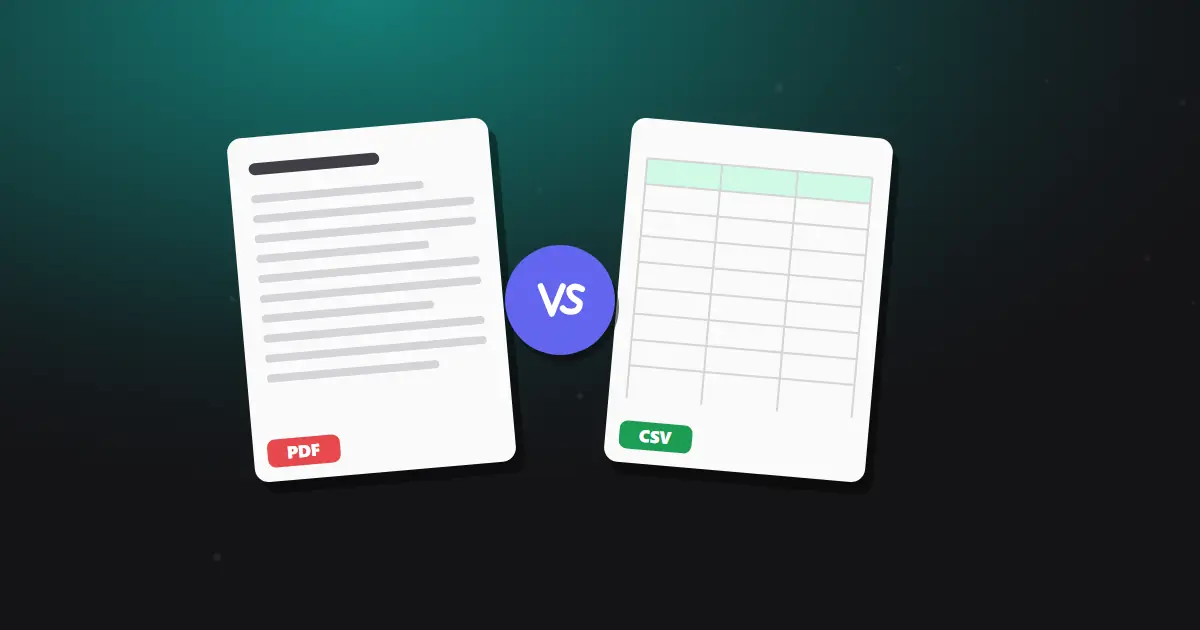
You press Download on a statement or a report and the site asks: PDF, CSV or Excel? The three are not three versions of the same thing. A PDF is a picture of a page that happens to contain real text. An Excel file is a working spreadsheet. A CSV is just the values, written one line per row, with nothing else.
This guide compares them on what matters: how they read, how easy they are to edit, what they do when you import them somewhere else, and how big they get. It also covers the common case where you have a spreadsheet and need a PDF, and how to do that on EditFlip without sending the file anywhere.
On EditFlip, step by step
- Step 1
Decide what the file is for
Before you download anything, say it in one sentence: I will read it, I will send it to a person, I will keep it as proof, or I will calculate with it. Reading, sending and proof point to PDF. Calculating points to Excel. Feeding another program points to CSV.
- Step 2
Open the spreadsheet on EditFlip
If you already have the numbers as an Excel or CSV file and need a PDF, go to editflip.com/excel-to-pdf and press Choose a spreadsheet, or drop the file on the page. It takes .xlsx, .xls and .csv, one file at a time, up to 100 MB.
- Step 3
Look at the pages in Preview
The conversion happens at once. Open Preview and check that the columns are all there, the totals are in place and the dates look right. Each sheet is written one after another, with its name on top when the workbook has more than one.
- Step 4
Rename and download
Press the pencil to give the PDF a name you will recognise, such as the month and the account. Then press Download, or Share on a phone. Keep the original Excel or CSV as well, because the PDF cannot be turned back into a clean spreadsheet.
What each format really is
A CSV file is a text file. Each line is a row, and the cells on that line are separated by a comma or, in many countries, a semicolon. You could open it in Notepad and read it. There is nothing else inside: no bold, no colours, no column widths, no formulas, and no second sheet. A number is just digits and a date is just characters.
An Excel file, with the ending .xlsx, is a package that holds the values and a lot around them. Formulas, several sheets, number formats, colours, fonts, charts, filters and frozen header rows all live in it. It is made to be worked in.
A PDF is made to be looked at. It fixes where every word sits on every page, so it looks the same on a phone, a computer and a printer. The text in it is real text, so you can search and copy it, but the table structure is only implied by how the words are placed.
When PDF is the right choice
Choose PDF when the other person should see exactly what you see and not change it by accident. A bank statement for a landlord, an invoice for a customer, a price list, a timetable, a report for a meeting: all of these are read, not calculated.
PDF is also the safest choice when you need a record. A statement saved as PDF on the day you downloaded it will still look the same in five years, on any device, with no program needed beyond a PDF reader. Many forms and portals ask for PDF for the same reason.
It is the wrong choice when you want to add up a column, sort the rows, or paste the data into another program. You can copy text out of a PDF, but rows and columns often come out as one long jumble.
When Excel is the right choice
Choose Excel when you will work with the numbers: sort them, filter them, add a column, check a total, make a chart. Formulas keep working, so when you change one figure, the sum below it changes too. A workbook can also hold several sheets, such as one per month, in a single file.
It is the best format to keep when you may need the data again. From an Excel file you can always make a PDF or a CSV. Going the other way is much harder.
The limit is the program. Not everyone has Excel, and a very old or unusual file may look different in another program. For a person who only needs to read the result, a PDF is kinder than a spreadsheet they have to open and scroll.
When CSV is the right choice
Choose CSV when the data is going into another system: an accounting program, a mailing tool, a database, an online shop's product list, a budgeting app. Almost every program that imports data understands CSV, because it is so plain. Exports of thousands of rows, such as a full year of transactions, are often offered as CSV for this reason.
It is also the format with the fewest surprises about size. An Excel sheet can hold 1,048,576 rows, but a CSV has no such limit built in, so it is a way to carry very long lists that a spreadsheet struggles with.
The price of plainness is everything it leaves out. Save a nicely formatted sheet as CSV and the colours, widths, formulas and all but one sheet are gone. Only what is visible in the cells stays, as text.
What goes wrong when you open a CSV
Because a CSV does not say what each column is, the program opening it has to guess. Long numbers can be turned into scientific notation, a code that starts with zeros can lose them, and a date such as 03/04 can be read the American way or the European way. The text of a name with an accent can also come out as strange characters.
None of this means the file is broken. The data is still in it. The fix is usually to import the file and tell the program what each column is, not to double-click it. If you only need to look at the numbers, turning the CSV into a PDF avoids the guessing, as the values are written exactly as the file holds them.
Another article in this series goes through opening a CSV in Excel step by step. Here the point is only that CSV is for moving data, not for showing it.
Size and speed compared
For the same plain data, a CSV is small and quick to open, because there is nothing in it but text. An Excel file is compressed inside, so it can be small as well, but formatting, charts and pictures add weight. A PDF of a long table grows with the number of pages, since every page has to describe where each word goes.
There is no fixed rule, so do not choose on size alone. If a site has a limit on attachments, try the format you need first and check the size on your device. A PDF that is too big can be made lighter on EditFlip with Compress, though a PDF that is only text will gain little.
A phone opens a PDF in a moment. It may need an app to open an Excel file and it will show a CSV as text unless a spreadsheet app takes it. If the person at the other end is on a phone, PDF is nearly always the easiest.
Can you convert between them
Excel to CSV and CSV to Excel are easy and lose only what a CSV cannot hold. Excel or CSV to PDF is easy too, and it is what EditFlip does. The other direction, from a PDF back to rows and columns, works only as well as the PDF is tidy, and numbers need to be checked afterwards.
Be clear about what the PDF made on EditFlip contains. Every sheet is written as a plain table with thin lines and fitted to the width of the page. The values come across, but cell colours, bold, fonts, charts and pictures do not. If the look matters, save the PDF from Excel itself and keep EditFlip for quick, plain tables.
The file stays on your device the whole time. The conversion runs in your browser, so a statement with account details does not go to a server.
Choose the Excel or CSV file, check the pages in Preview and download a PDF with real, searchable text. Free, no account, and the spreadsheet stays on your device.
Turn a spreadsheet into a PDF on EditFlip →Questions
Which is better, PDF or Excel?
Neither is better for everything. PDF is better for reading, printing, sending and keeping a record. Excel is better when you need to calculate, sort or change the numbers.
What is the difference between CSV and Excel?
A CSV holds only the values as text, one line per row, with one sheet and no formulas or formatting. An Excel file holds values plus formulas, several sheets, colours, widths and charts.
Which format is smallest?
It depends on the data. A CSV of plain numbers and words is usually small. An Excel file is compressed but carries formatting, and a long PDF grows with its pages. Check the real size on your device.
Can I open a CSV file in Excel?
Yes, most of the time. Be careful with long numbers, codes that start with zero and dates, which Excel may change when it guesses the type of a column.
Should I send a bank statement as PDF or CSV?
Send a PDF to a person who needs to read it. Use CSV only when you are loading the transactions into another program, such as accounting software.
Can I turn a PDF back into Excel?
Sometimes. The result depends on how tidy the PDF is, and the numbers should always be checked. It is safer to keep the original spreadsheet beside the PDF.
Does converting Excel to PDF on EditFlip keep colours and charts?
No. The values come across as a plain table with thin lines, but colours, bold, fonts, charts and pictures are not kept. For those, save as PDF from Excel.
Is it safe to convert a spreadsheet on EditFlip?
The file is not uploaded. The conversion happens in your browser, so the spreadsheet stays on your device, and there is no account to make.